
100% free for your class
Create quizzes and run unlimited classroom sessions. No subscription, no invoices and no family credits needed. Your teacher workspace is completely free.
Build your own interactive quizzes or choose practice from the Luxembourg curriculum. Translate your questions, share with colleagues and follow every pupil’s progress while you teach.
100% free for teachers and classes
Unlimited sessions · No subscription or invoices
Organize quizzes, session templates and Slides under Content. Teach secondary classes, university groups and workshops with your own questions. Present slides with private notes, or invite your audience to answer on their phones with a code. No Slides account is needed.
Prepare and follow progress in your workspace. Your child studies and practises in a playful Cycle 1–4 session.
You prepare → your child practises → you review progress
Bring the energy of interactive quizzes to your classroom with Mituto.lu. A platform based in Luxembourg, with more ways to ask questions and everything your class needs to get started for free.
Create quizzes and run unlimited classroom sessions. No subscription, no invoices and no family credits needed. Your teacher workspace is completely free.
Use all six question types from day one: multiple choice with one or more correct answers, true or false, typed answers, number sliders, image pins and ordering. All included, all free.
Mituto.lu is based in Luxembourg and built for its primary classrooms. Combine your own quizzes with Luxembourg curriculum practice, teach in six languages and follow each pupil’s progress live.
Combine curriculum topics with quizzes you create yourself. Choose the session language and prepare the practice your class needs in one place.
Use the same practice for everyone, or adapt curriculum exercises to each pupil in Cycles 2–4. Your quizzes keep the questions and order you chose.
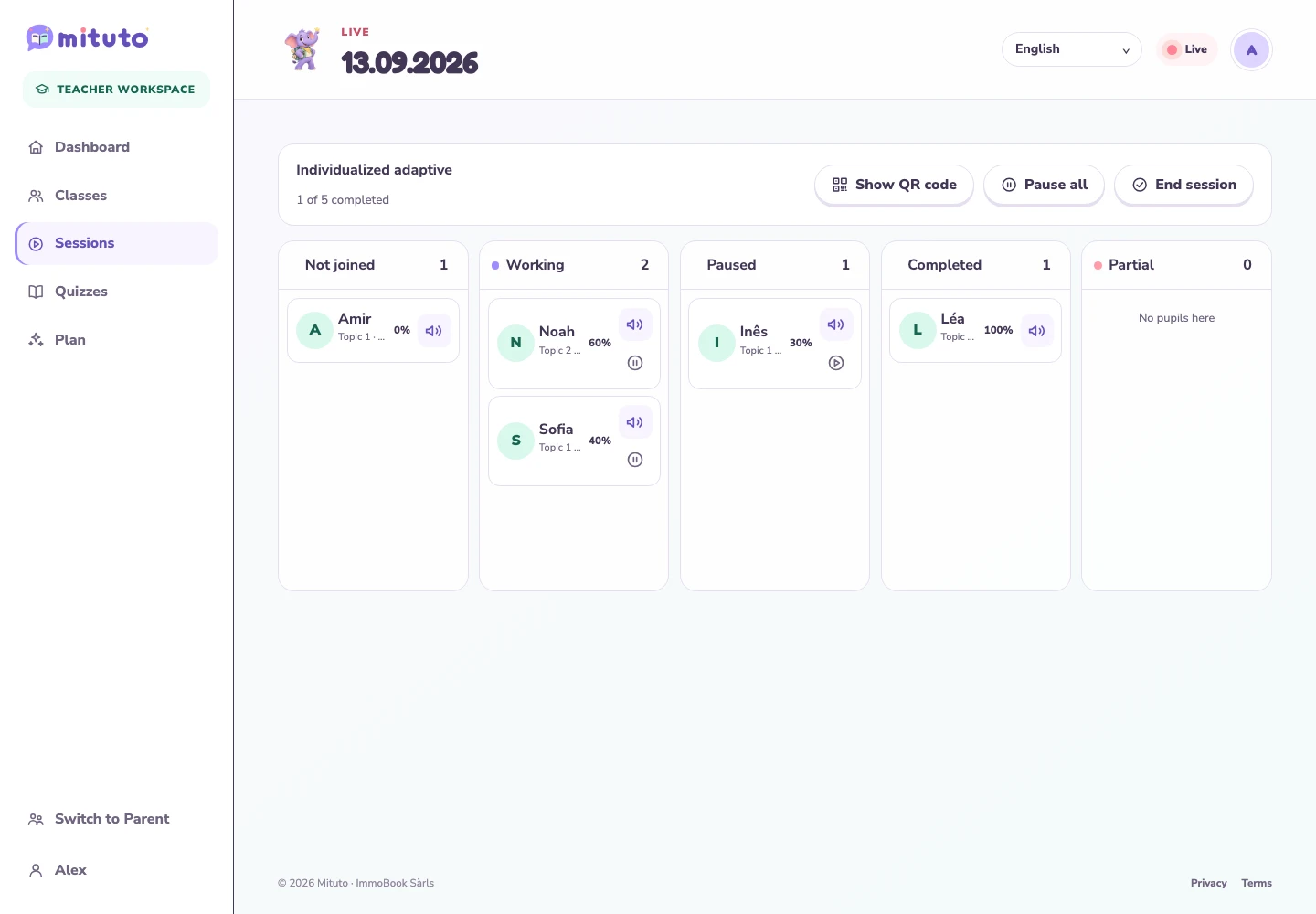
See who has joined, who is working and who has finished. Pause a pupil or the whole class. Afterwards, review completion, scores and support used to plan what comes next.
Keep your class roster and pupils’ access codes ready for the next session. Invite colleagues to your class, then choose which quizzes to share with them.
Create a named quiz for a cycle you teach. Give each question a name, write its content and answers, then arrange the questions in the order that fits your lesson.
Write the choices and mark one or more correct answers. Pupils select every answer they think is right.
Write a statement and decide whether it is true or false. A simple way to check understanding.
Ask for a word, a short text or a number. You choose the answer type and define the correct answer.
Set a range and the correct number. Pupils move a slider to choose their answer, then confirm.
Upload an image and draw the area that counts as correct. Pupils answer by placing a pin on the image.
Define the right sequence. Pupils receive the items shuffled, rearrange them and confirm their order.
Choose your quiz’s original language and let AI fill in the other languages. Review the results and use the translation icon beside each field to adjust any wording yourself.
Turn sharing on for the quizzes you want colleagues to use. Teachers who share a class with you can view them and use them in their own sessions. You keep control of editing and sharing.
Create your teacher workspace, add your class and try a session together.
Register with your first name and email, choose a password and verify your email address to activate your free teacher workspace.
Name the class, choose its cycle and language, then add pupils by first name. Each pupil gets a private access code. You can also invite your co-teachers.
Select curriculum topics, your quizzes or quizzes shared by colleagues. Pupils join in a browser with their first name and code. Start when you are ready and follow everyone live.
Quizzes, translations, sharing and live class sessions are included. Up to 10 classes per teacher and 25 pupils per class.
100% free for teachers and classes
Unlimited sessions · No subscription or invoices
The 10-class limit includes classes you create and join, including archived classes.
Yes. Create named quizzes for cycles where you have a class, using any mix of the six question types. Add them when preparing a session. Every question is included in your chosen order, including in adaptive sessions.
Quizzes stay private unless you turn sharing on. Shared quizzes are available to teachers linked to you through a class. They can view and use them; only you can edit your quizzes. You can turn sharing off again.
Luxembourgish, German, French, English, Spanish and Portuguese. Choose a session language and generate translations for your quizzes, then review or edit them yourself. A quiz uses its original language until all its content is translated into the selected session language.
No. Pupils use a browser on a tablet or computer and join with their first name and private access code. A parent account is not required for classroom sessions.
Yes. Sign in and activate the free teacher workspace on your account. You can switch between parent and teacher workspaces. Classroom sessions do not use family credits.
100% free for teachers and classes. Unlimited sessions · No subscription or invoices. Up to 10 classes per teacher and 25 pupils per class.